Monthly Archives: August 2013
Conclave Conversation

Are you the next Pope?
Welcome to Boards & Barley. Last week I mentioned that I’d be posting an article about sourcing components for board game prototypes. Well, with GenCon so nigh I figured that article wouldn’t be of much help to fellow designers anyway. So I’m postponing that article until after GenCon, at a time when many designers will likely be looking to purchase new components for their game designs that require revisions. So today I’m discussing Conclave.
Since Trading Post is my white whale and I doubt I’ll ever actually get it to a playable point I’ve been spending my time making excellent progress on Conclave.
In Conclave players take on the role of a Cardinal who is hoping to become the next pope. For those not familiar with the process of electing a pope I will give a brief background. To elect a new pope the college of cardinals, those of high standing in the Catholic hierarchy, are locked in the Sistine Chapel after the death or resignation of the previous pope. They will perform voting rounds each day until a new pope is elected. Pretty simple.
So today I want to give you an update as to my progress on the game. Let’s start with the cards, and what they do…
The Orders of Catholicism
The game is designed to play from 2 to 4 players. Those players will represent one of four different Catholic Orders: Franciscans, Jesuits (Society of Jesus), Dominicans, or Benedictines. While I’d ultimately like each of these orders to have some sort of special ability, almost like factions, they currently are all equal and are simply a better way to represent the player colors. Here’s a look at the cards (From The Game Crafter) with the icons for the different orders:
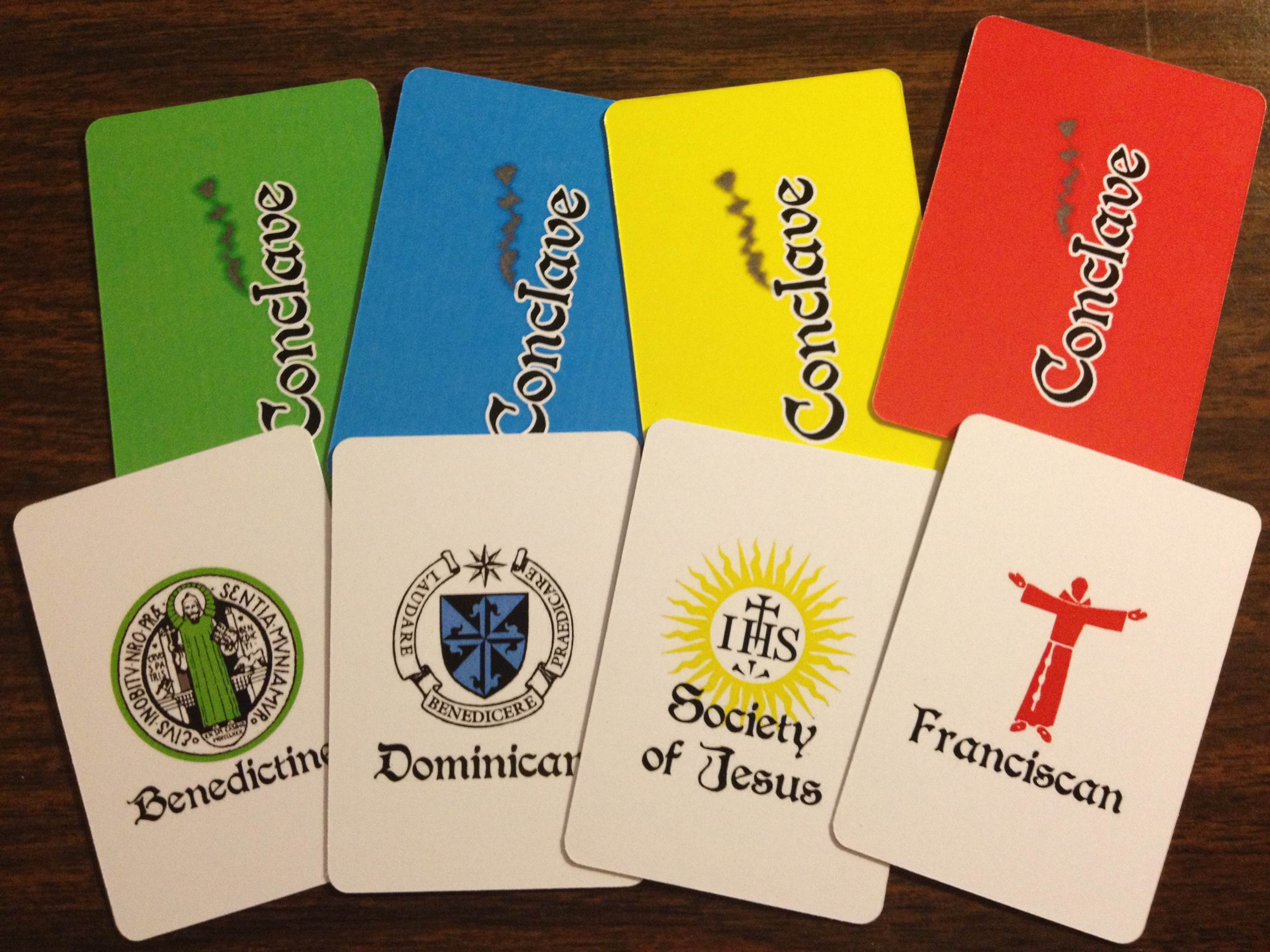
These could easily be labeled by their color, but the icons seem more real.
The cool part is that once I’ve tested the base game it would be relatively easy to add in specific traits for each of the Catholic Orders. That would allow each player to have some special ability that they could try to use to their advantage in the game.
Inside the Sistine Chapel

Sistine Chapel prior to Conclave.
Conclave is a game about area control. The areas are represented by the different tables in the Sistine Chapel. In a real conclave it looks like the setup on the right. That setup has long tables of equal numbers of Cardinals.
In the real conclave each vote counts individually. That’s not much fun from a game design perspective. So as the designer I am utilizing my creative license and splitting the tables up.
So in the game there will be anywhere from 6 to 9 tables that include from 1 to 6 cardinals. Each table will work like an electorate. Basically, whomever holds the majority of votes at any given table earns the full table’s worth of votes.
This is a decent way to mix things up. So players will be attempting to hold the majority at tables rather than focusing on any individual Cardinal’s vote.
Therefore the table with only 1 Cardinal is worth 1 total vote. But a table of 5 Cardinals, though worth 5 votes, can be won with 3 cards in place to win the majority.
So ultimately I’ve designed this to work like an electoral college where tables are worth electoral votes and a certain number of electoral votes are needed to win the Papacy. Perhaps I should switch themes to be a Presidential election in the US.
The Tables
Two nights ago I mocked up some beta artwork for the tables, mostly based on the picture above. My previous prototype had these large, cumbersome boards that were really just too large to be any good. So these new table boards are based on the mini cards from The Game Crafter (1.75″x2.5″).
Here is a mock up of a Five Cardinal table:
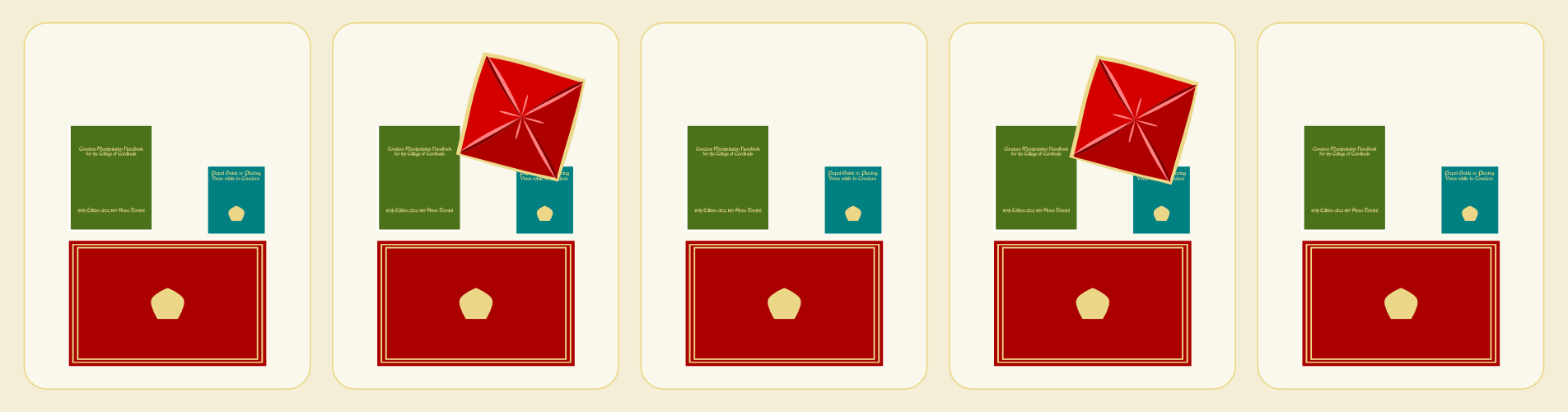
Having a majority here is worth 5 votes.
First, I need to apologize to anyone who enjoys anything about culture. It is almost blasphemous that I am designing a game that basically involves the Sistine Chapel and all I’m showing are the tables at which the Cardinals sit. How can I justify not including any imagery of the beautiful, if not scary, artwork included in one of the most historical rooms in the world?

The red box thingy in my artwork represents the papally awesome swag bags on the tables.
Second, the two spots with the weird angled red box thingy are special spots. At the very start of the game a certain number of cards are randomly drawn from each player’s deck. Those cards are distributed evenly to the spots with the weird red box thing. The red box just denotes which Cardinals receive a face up, randomly drawn card.
Once the randomly drawn cards are placed then players will take turns influencing the Cardinals. On their turn they will place one card face down on any Cardinal of their choosing. Then they will also place one card from their hand face up on that same Cardinal. The thematic idea here is that these Cardinals are voting for the face-up player, but could be persuaded to vote for the face-down player.
Play continues in this psuedo-setup phase until all the Cardinals have cards on them.
Manipulating the College of Cardinals
After all the Cardinals have cards to represent their votes then the real game begins. This phase of the game is all about manipulating the Cardinals to get them to vote for you. There are four actions you can choose and you can perform any two of them on your turn. These actions are represented by these hastily produced icons here:
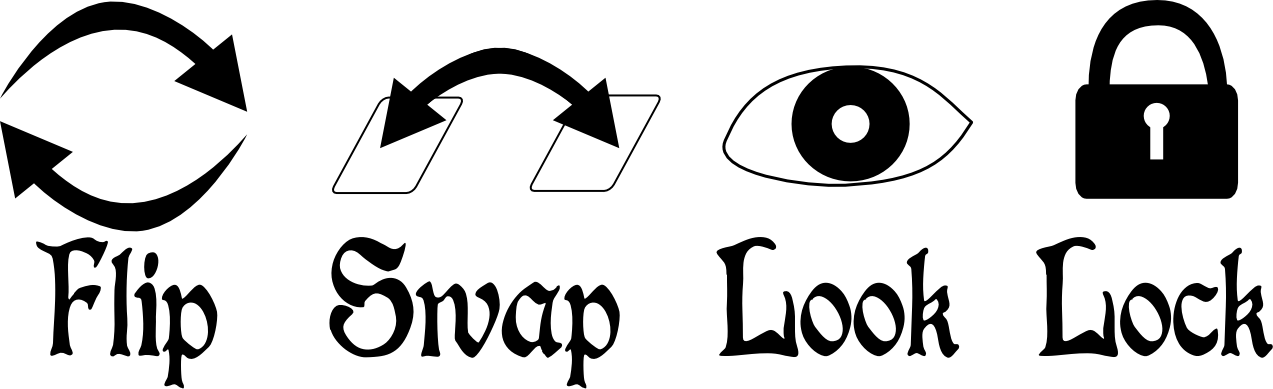 FLIP: This action allows a player to flip any one Cardinals cards over. The result is that this Cardinal will now be voting for whichever card had previously been the face-down card.
SWAP: This action allows a player to swap the locations of two different face-up cards of any two Cardinals.
LOOK: This action allows a player to investigate the Cardinals by looking at three different face-down cards for any three Cardinals of their choosing.
LOCK: This action allows a player to lock any one Cardinal’s vote into place for the rest of the game. Each player will have four locking cubes and can thus lock four Cardinals over the course of the game.
So on your turn you can perform two actions. They can be the same action if you so choose. The goal is to try and manipulate the tables so that you earn the majority, and thus their votes.
***
So I’ve described the game in a nutshell. This is the basic concept of the game and it is currently playable. My disclaimer is that I have no idea if it is any fun. All the fun so far has been in designing the game. While I think there is a nice strategic component to the game, only time will tell. And by time I mean playtesting. Thanks for reading!

The Monday Brews: 8-5-13
Another week has left us. And what a glorious week we have upon us. Just as we are gearing up for GenCon it turns out that I have a birthday this Friday! So of course this week will be a good one. I suppose I should try to get some playtesting in so that I’m not taking garbage to GenCon. But we’ll worry about that later.
Here’s a recap of my boards and barleys from the past week…
The Barley:
Capital Brewery Supper Club: This is an excellent beer to enjoy when you’re not worried about anything. Sit back, put your feet up, and realize this beer’s “not bad.”
O’So Big O: This was another decent beer to enjoy while relaxing. It had a little tanginess, but that didn’t hinder the enjoyment. This beer is from the wonderful town of Plover, WI.
Ben Franklin’s Honey: I again enjoyed some of my own homebrew. However, I have a big problem. I am almost out of my own beer and I don’t have a batch currently fermenting. We are approaching mission critical here. I’d better start brewing!
Here’s glimpse of a cooler I was able to rummage through at a party I attended this weekend. Some of the better beers were in a different cooler.

Some excellent Wisconsin beers. One not-so-excellent Wisconsin beer. And then there’s Corona.
Horny Goat Watermelon Wheat: Rule #1: No fruit in beer unless it’s a Lambic and it’s done correctly. Rule #2: If you’re using fruit in beer, please just not watermelon. Yeah… I didn’t care for this beer and won’t be having it again.
Pabst Blue Ribbon: Out of reverence for fellow game designers that I had the privilege to meet at Protospiel-Wisconsin, I hoisted a cold PBR this weekend. And I realized that it wasn’t that bad. I’d have another, especially if it was available at GenCon!
The Boards:
Unfortunately I didn’t get to play as many games as I had hoped. Here’s the three that I did manage to play:
Tsuro: My friend’s $1.20 thrift store find has made the table a bunch lately. And we got it out again this past week. This is a great filler game that doesn’t take much though, has minimal downtime, and is also fun to play. unlike last week we didn’t have a three-way tie for the win.
Guillotine: This is a fun card game where players try to get the most points over the course of three days. During each day different cards are placed on the table. On a player’s turn they can play a card from their hand, and then they must take the card closest to the guillotine. The card they played hopefully allowed them to put a better card in that spot so that they didn’t have to take a bad one. It’s a pretty fun game despite some dude’s butts on some of the cards.
The Settlers of Catan: We always have fun when we play this game, even with 6 players. When we play with 6 I get to use my two different versions and the table looks pretty funny. But it’s always a fun game, even if I know I’m going to lose after the initial placement phase. Here’s a picture of our setup:
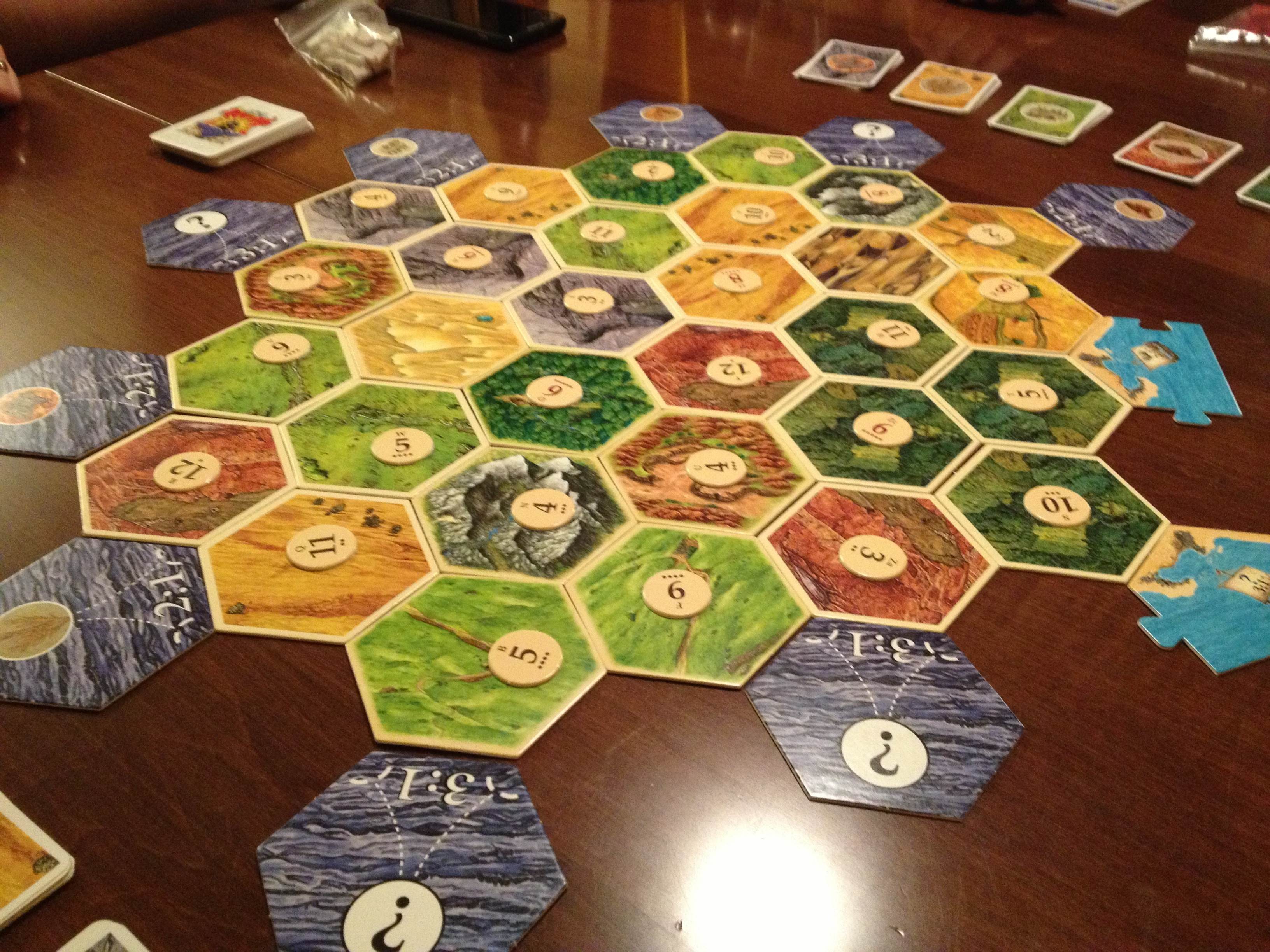
Mish-mash at its best! Excuse the blurriness.
***
Another week under the belt. What Barley or Boards did you enjoy this past week?

Prototyping Tools of the Trade
Tools of the Trade
One topic that seems to come up a lot is how to make board game prototypes. I’m not talking about coming up with a design. I’m talking about physically creating prototype game components. Game designers are constantly trying to make their components so that they can get right to the playtesting phase of game design.
Today I want to discuss the tools I use to create my prototypes. At this point you should already have your prototype artwork created if you’re going to be printing anything. Let’s assume it’s already been printed. Now it’s time to make it awesome!
Chits…
One common component that is particularly easy to make for prototypes are chits. These are typically just printed artwork glued onto matte board. But matte board can prove to be difficult to cut.
There’s two ways that I’ll cut my chits out of the matte board.
- Straight edge and utility or X-acto knife (not ideal)
- Rotary cutter (ideal)
What we are doing here is separating the chits from one another. When creating your artwork you should line up the edges of the components so that you only need to make one cut between them.
This will help you keep your fingertips!
The straight edge and knife approach is definitely NOT my approved method and I would never recommend it. However, a lot of people use that approach so I needed to mention it. One recommendation is to use a safety straightedge like the one shown here. You only have 10 fingertips so why not spend a few extra dollars and get a straightedge like this and make sure to not lose any fingertips!
I don’t like this method for a few reasons. The first is that you need a cutting mat to go underneath so you don’t scratch your table. The second is that the blade doesn’t always stay straight as you are cutting the matte board. And that can be really annoying.

Just get this thing instead!
My preferred method is to use a rotary cutter like this Fiskars 12″ Scrapbooking version. It is super easy to use, relatively cheap (especially compared to the $40 safety straightedge), and very reliable. And since most of us don’t have printers that print on anything other than 8.5×11 paper anyway, the 12″ Fiskars tool is perfect!
So I will print my prototype artwork on photo paper, adhere it to matte board, and then cut out the individual components using the rotary cutter. Just a heads up when using matte board though: you’ll likely have to roll the cutter back and forth a few times to cut all the way through. That’s still an easier process than trying to run a blade along the straightedge.
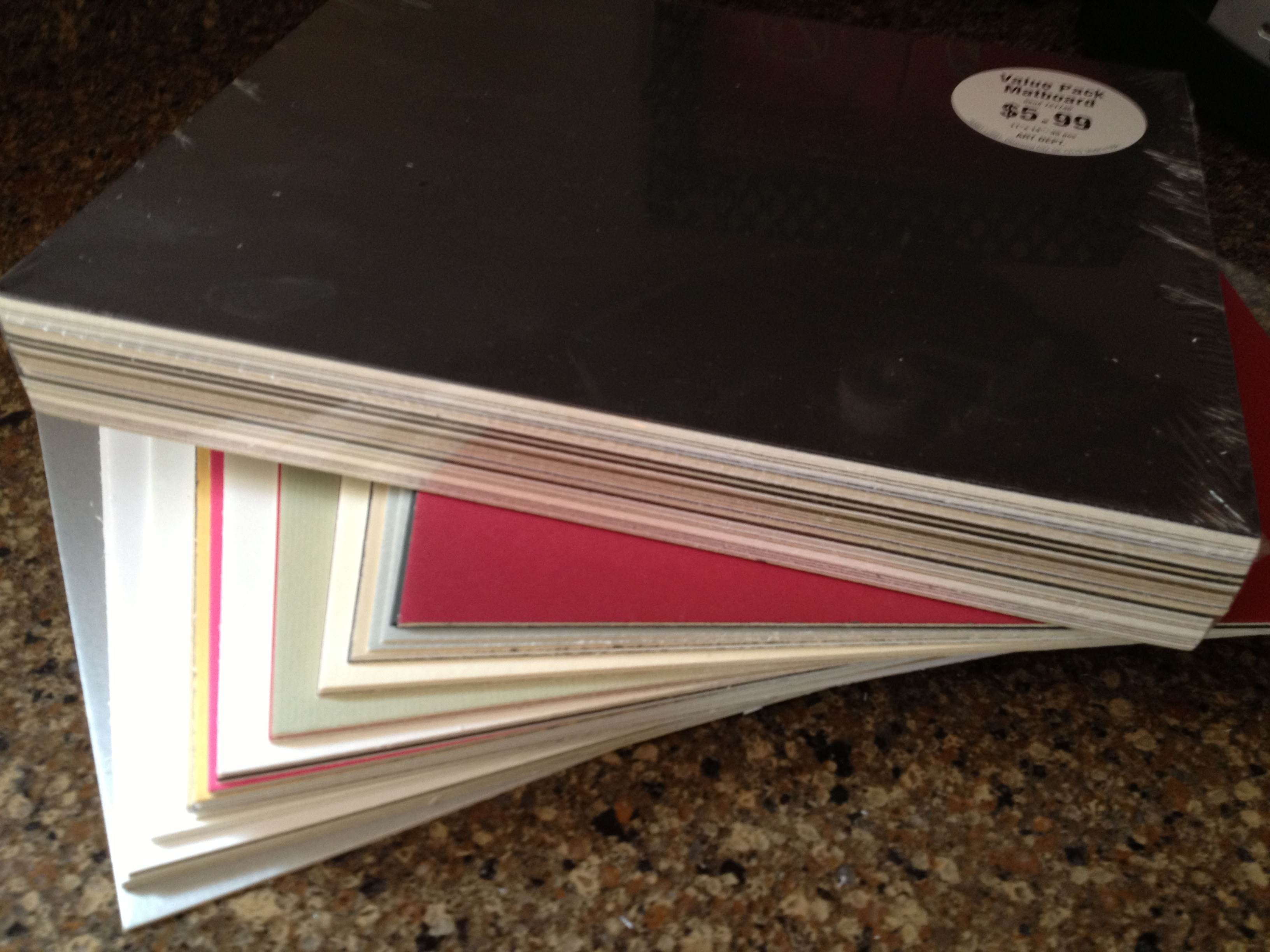
On the topic of matte board, I recently went to Hobby Lobby and purchase two huge packs of “matboard” for $6 each. I got a pack of 12″x12″ and a pack of 11″x14″. These are so cheap that I almost felt like I was stealing. They are just the leftovers from the framing department that were cut out from the boards used to mat pictures/paintings for customers. What a great way for Hobby Lobby to reduce their waste and provide a useful product. Here’s what I got for $12:
So cheap!
The other key tool of my trade is a glue stick. Some people will use standard glue, some will use spray adhesive. I prefer the glue stick to standard glue since it is simple to apply evenly. This is very helpful when trying to make sure that your components are completely glued down.
Now you know a great method for producing chits. If possible, keep them as rectangles rather than circles of hexes. But since we’re on the topic of circles and hexes let’s move on to another excellent tool…
Punches…
There are times when you don’t want rectangular components. Perhaps your game is a map building game with hex tiles. Or perhaps you require special discs for your game. If that’s the case, then I strongly urge you consider purchasing a punch.

The hex punches from Fiskars work great!
One thing to keep in mind when purchasing a punch is how thick of paper/board are you wanting to punch. Often these sorts of punches are used by scrapbookers who are only punching paper. That means they may not be able to punch through matte board. Sometimes you can only find out after you’ve bought the punch. Bummer.
Here are some recommendations, keeping in mind that I don’t know specifically how thick they can punch. OR you can just do a search for “hobby punch” and find one you’d like.
- Fiskars Squeeze Hex Punches
- Creative Memories Punches
- Older Creative Memories Hex Punches on eBay
- And don’t forget the Corner Rounder punch which can be helpful for cards that are printed on nice canvas/linen finish paper.
These can come in really handy. I use a circle punch when creating prototype coins. I have used a hex punch to create stickers for hex tiles. And here is my little tip for punching, which I mentioned in a prototyping article a long while back, but which is worth repeating.
When punching, flip the punch over so you can visually align the part that you want cut.
So now you’ve got the tools to cut out chits and punch out little bits of awesomeness! What about cards?
Sleeves…
Many game designers come across the need for cards in their game designs. I have made cards numerous times. Early on I would buy 60lb. paper and just cut out rectangles. But there is a problem with that. The edges of the rectangles can be slightly bent from cutting, which leads to great difficulty in shuffling the cards.

Mayday sleeves are convenient and cost effective!
The way to prevent that while also protecting the cards is to purchase card sleeves. These inexpensive beauties will be a little lifesaver by removing anguish from your prototypes. Plus, you can get awesome one’s like the one shown here with a kitten running through a field!
If you want a good go-to source for sleeves then look no further than Mayday Games. Here is a series of links to the sizes you may be looking for:
- Euro Cards (59×92 mm)
- Mini Euro Cards (45×68 mm)
- Card Game (63.5×88 mm)
- Standard USA Cards (56×87 mm)
- Magnum Ultra Fit for 7-Wonders (65×100 mm)
Those should offer some help. They definitely help with being able to shuffle your cards. The only downside is that when stacked they can be really slippery and your stack may tumble over.
Speaking of tumbling…
Dice…
Sometimes it becomes necessary for a game designer to create their own set of dice. Sure, you could always just make a cheat-sheet conversion table, but that can be a huge burden for your playtesters who would constantly have to recheck the sheet. So one of the tools of the trade is to purchase blank, sticker-able dice.

Just think of the potential here!
Look no further than Indented Blank Dice. The best part of their site is that they have labels that you can purchase and print on rather than having to buy blank label paper and try to cut/punch out your own labels and then peel them off.
Don’t buy blank label paper. Don’t cut/punch out stickers. Don’t try to peel them.
Just buy the sticker label paper and save yourself from the frustration.
So this concludes my little article about Prototyping Tools of the Trade. Next week I will be posting a follow-up article on Sourcing Components for Prototyping. It will cover where to purchase boards, bits, and more. So stay tuned!
 Boards and Barley