Blog Archives

Prototype Art: Alignment in Inkscape
 I use Inkscape for all of my game design artwork. It is relatively easy to use and is vector based, so I can make things larger or smaller as needed without any loss in picture quality.
I’ve done a couple other Inkscape tutorials about game design artwork. You can check those out:
Today I want to focus on one specific tool within Inkscape: Alignment.
If you don’t have the software, you can download it from their website: inkscape.org.
Let’s Line Things Up!
The tool I find I use the most within Inkscape is the alignment tool. I use it for every piece of artwork or graphic design that I make in Inkscape.
When you are working in Inkscape and desire to line things up, look for this icon: 
Clicking that will open the Alignment options, which will look like this:

Control Panel of Alignment
Let’s run down what those options are. Here is a new version of that image:
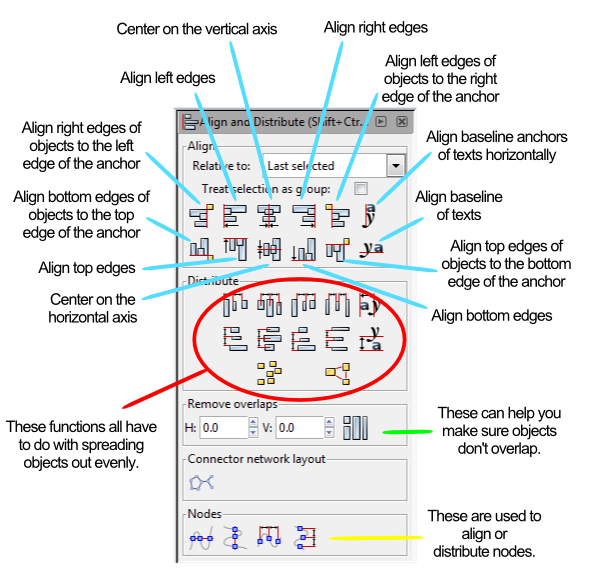
Instead of running through each of those things listed above I am going to provide a couple examples. At the end of this article you will find a the Inkscape file that I used for these examples. Feel free to download it and use it to get familiar with the alignment tools.
Anchors Away!
When aligning things the most important thing is understanding which object is the anchor. The anchor is the object that will not move when the command is applied. You can choose the anchor with the options from the “RELATIVE TO” box at the top, which are the following options:
- Last Selected
- First Selected
- Biggest Object
- Smallest Object
- Page
- Drawing
- Selection
The three that I use the most are “Last Selected,” “First Selected,” and “Page.”
When selecting multiple items, if you chose the anchor last, then you should set RELATIVE TO to “Last Selected.” That way when you choose the alignment function, the anchor will appropriately stay put and the other objects will move.
Likewise, the “First Selected” option will cause the anchor to be the first object you select. Both of these options are nice because you can make sure you’ll know which object won’t be moving.
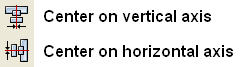
Using the “Page” option will align things with the page. The Page is represented by the black box in the middle of the canvas when opening a new document. I use this a ton when designing artwork for cards since it allows me to center things on the page. This one can come in very handy. You can align things to the center of the page by using these two alignment functions:
Alignment Examples
I’m going to use a circle and a block and show you how several of the functions work. After centering the block on the page I’ll be using the block as the anchor for the remaining alignments.


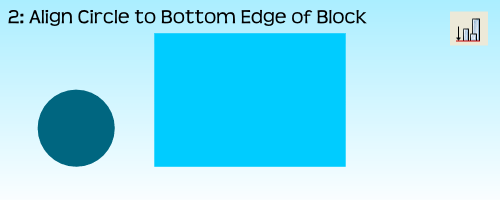
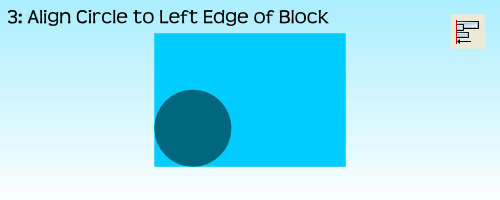
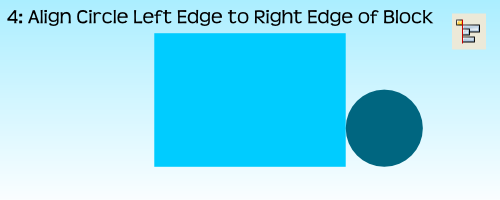
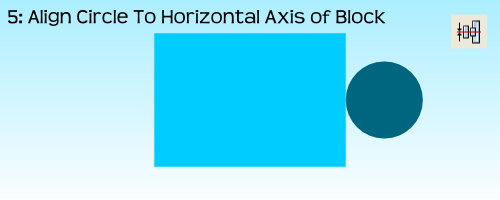
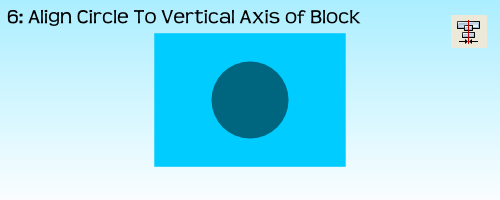
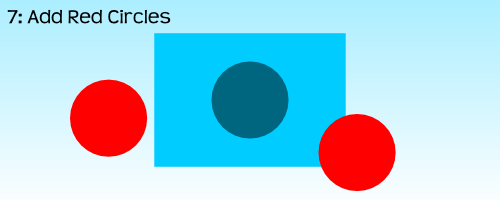

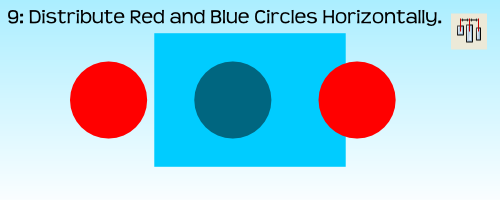
 For the very last example, step 10, I had to use the “Treat Selection As Group” option. If I had not used it the result would have been to stack all three circles on the vertical axis of the block:
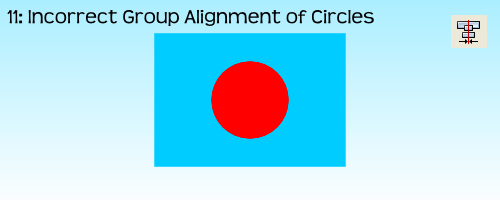
By treating the three circles as a group it allows for the whole group to be aligned without adjusting the relative locations of the objects in the group. Often I’ll just group objects myself before aligning them and then ungrouping them after the alignment. But feel free to do it however you like.
That’s Basically It
I have found that these alignment tools are very useful when making prototype artwork for my game designs. It allows you to consistently place things in the same spots. It allows you to make things line up correctly. And it allows Inkscape to help design your awesomeness!
Here is the file: BoardsAndBarleyAlignmentExample.svg
It is located in Google Drive and to get it to work you’ll have to download it. Please let me know if you have any questions. Thanks for reading.

Monday Brews 4-14-14
Happy Monday everyone. I hope all of you that attended PAX East of the Gathering of Friends had a great time. I attended neither, babysat Saturday evening, and played one game all weekend. But that’s okay.
Today is Monday so I present you with me recap of the Boards & Barley I enjoyed last week:
The Barley:
 BARLEY SPOTLIGHT: Wisconsin Brewing Co. Porter
I enjoyed this Porter at a dinner on Sunday evening with my wife for her birthday. The Porter is from the still new Wisconsin Brewing Co. I found it to be a very nice porter with characteristics one would expect from a porter. I would drink it again as it was easy to drink and enjoyable to taste.
They recently brewed a coffee porter that is only available on tap. I would definitely like to try it since I enjoy coffee flavored/infused brews.
- NEW! Founder’s Porter – I enjoyed this porter during Board Game Night. Not too much to say about it. It was decent.
- NEW! Saint Francis Gluttony – From a Milwaukee brewery that names their beers after the seven deadly sins. This was their Maibock. It was okay. I found it a little too sweet and not “Spring” enough.
- NEW! Penn Pilsner – It’s been a while since I had a straight up pilsner. This tasted like a pilsner, smelled like a pilsner, and was pilsner through and through. Yet I enjoyed it.
- Central Waters Mudpuppy Porter
- New Glarus Spotted Cow
The Boards:
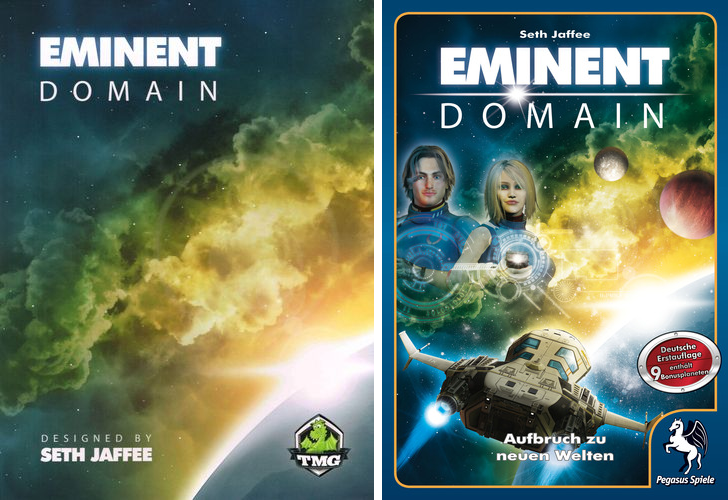
US (Awesome) and German (Ugh) box covers.
BOARDS SPOTLIGHT: Eminent Domain
Eminent Domain has become my favorite deck builder. That’s probably due to the deck building portion being subtle. There are planets to colonize or attack. There are new planets to survey. There are new for of research to develop. There are so many awesome elements in Eminent Domain that the deck building portion is somewhat of a side thought. But that’s not to say you don’t need to consider how you build your deck.
For those who are sick of Dominion and don’t like the theme of Trains, I highly recommend Eminent Domain!
- Unpublished Prototype
- Dungeon Roll
Designer’s Corner:
The only design efforts I completed last week were from the Design Me article where I designed a new tile placement via dexterity game called ManHunt.
This week I hope to compile and balance the abilities in Brooklyn Bridge as well as make some modifications to how the Tower is built. These will make the game more “Euro” in style, which I am fine with.
I also have the necessary components to prototype Manhunt, which I just might do.

So those are the Boards, Barley, and Design Efforts I enjoyed last week. What did you enjoy?
Design Me: Manhunt
It’s Friday and I haven’t exercised my brain lately. So today I am doing a Design Me challenge.
Design Me challenges are all about exercising your brain. Like soccer players need to practice when not playing games, so I believe designers should practice their design skills. A Design Me challenge is a great way to exercise your designer mind. So let’s exercise our minds using this combination of theme, mechanics, and victory condition from Boardgamizer:
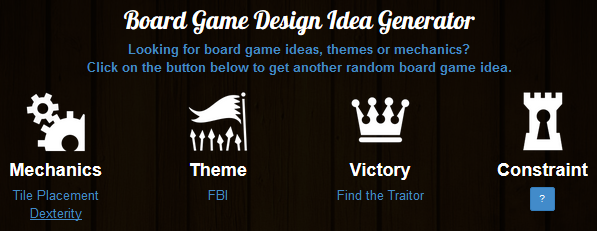
FBI tile placement with a dexterity aspect! Piece of cake!
If you have never checked out Boardgamizer, go do so right now! You just might be inspired for your next awesome game design.
MANHUNT
Manhunt is a tile (card) placement dexterity game for 2 to who knows how many players. Let’s say 8. So 2-8 players. Each player is given an objective card at the beginning of the game. On each card are two goals. The first player to complete both goals will win this fast-paced fun and interactive game!
Components
This game has very few components. They are:
- 8 Objective Tiles
- 46 City Tiles of varying terrain
- Manhunt tokens
- Objective tokens
- Rulebook
How To Play
 Deal each player one Objective tile. This represents that player’s victory condition. Shuffle the City deck and place it face down near the edge of the table. Flip one tile face up and place it in the center of the table. Then flip two more tiles and place them face up next to the deck.
On your turn you will either choose one of the two face up tiles OR you will draw a tile off the top of the deck. Then you will flip, drop, toss, or whatever you need to do to get the tile onto the table. However, you simply cannot place the card on the table.
No matter where the tile lands it becomes part of the city.
Of course you will want to try to do certain things. Let’s look at the tiles and then discuss some strategy:
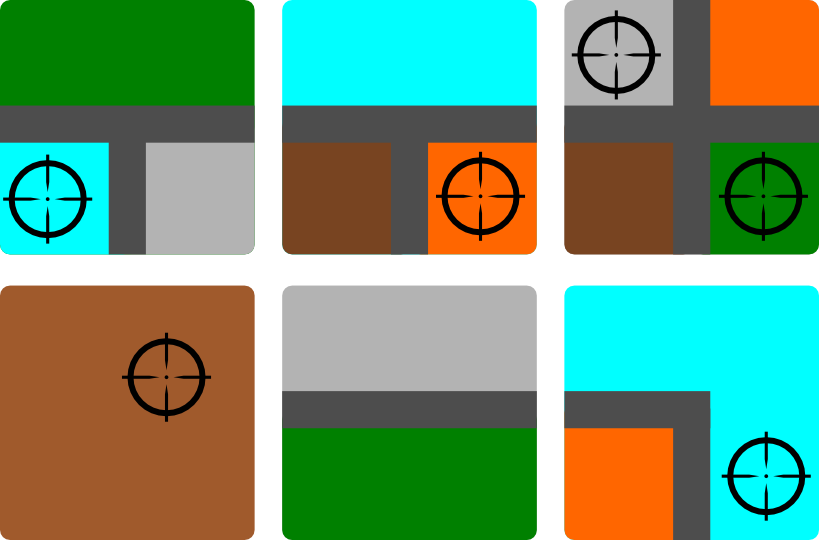
Some sample tiles. The lines that separate the colors represent roads.
Some of the objectives require you to earn Manhunt tokens. To earn a Manhunt token you you to get your tile to cover up a cross-hairs icon. For each icon that you cover you will earn 1 Manhunt token.
Some of the objectives require grouping colors together. So if you can get a group of four brown city sections together then you might meet your objective.
Some objectives could be to get roads together. If you can get three road sections to line up you might meet your objective.
When you complete an objective you should take an Objective token and place it onto your objective tile to indicate that the objective has been met.
So using roads, city sections, and cross-hair symbols you can have a slew of different objectives to meet. The first player who can meet their objectives from their tile will be the winner.
Design Thoughts?
I have successfully exercised my mind and created a tile placement dexterity game that I think could be a fun 10-15 minute filler. I have not played Jason Tagmire’s Maximum Throwdown but I imagine this is similar to that. Sorry, Jason, if this is a rip-off of that. Or I suppose this is similar to FlowerFall. If you think a game like this could be fun, then I suggest you check out Maximum Throwdown or FlowerFall.
Thanks for reading and don’t forget to exercise you designer mind!
Monday Brews 3-31-14
Yes. My Wisconsin Badgers are in the Final Four! What more could I ask for? This isn’t a sports blog so I’ll spare you the awesome details, just be aware that I’m excited about that.
This is, however, a blog about beer and board games. And each Monday I share a recap of the Boards & Barley that I enjoyed the previous week. So I welcome you here to see what I enjoyed. If you enjoyed something special, please feel free to comment below!
The Barley:
 BARLEY SPOTLIGHT: Redhook IPA
I’m not an IPA guy. I’m not a hoppy guy. But I’m sick of sharing those two disclaimers. So by golly I’m gonna start enjoying these types of beers. There are so many of them out there that I don’t want to exclude them any longer.
So I started this new escapade with the Redhook IPA at a recent board game night. I was pleased by the lack of over-the-top hops. It was bitter, but not unacceptably floral. So I’d say I would enjoy this again. I’m excited to be branching out into a new realm of beer. I’m sure I won’t enjoy them all, but at least I’m diving in!
- Lake Louie Warped Speed Scotch Ale
- NEW! Next Door Brewing Wilbur! – I finally made it to local Next Door Brewing. I chose their Wilbur! beer and it was pretty good.
- Tyranena – The Devil Made Me Do It
- Atwater Vanilla Java Porter
- McKenzie’s Hard Cider
The Boards:
BOARDS SPOTLIGHT: Quantum Orcas
I’m not sure why Quantum Orcas still exists. It’s probably because it only takes 10-15 minutes to play and has a quirky theme. No matter the reason, it is still around and it keeps getting better. I’ll give more details below, but Quantum Orcas has gone beyond “pet project,” as a good friend mentioned, and it’s now a legit game design. I’m pretty excited about that.
- Mad City
- Alhambra
- PROTOTYPE: Scrapyard – This was a neat two-player game where players try to build the best upgraded robot. I really enjoyed the mechanic and I think there is a sweet design inside this concept.
- Backyard Astronaut
Designer’s Corner:
As I mentioned above I’ve kept working on Quantum Orcas. The biggest change I recently made was to change it to allow for 4 players. Previously it was only a two player game. Ultimately there is no good reason for this not to be playable up to 4.
So I designed decks of cards for each player and had my first ever 4 player playtest. It worked pretty well. I don’t think people were in love with the game, but the changes I implemented made it quite a bit better.
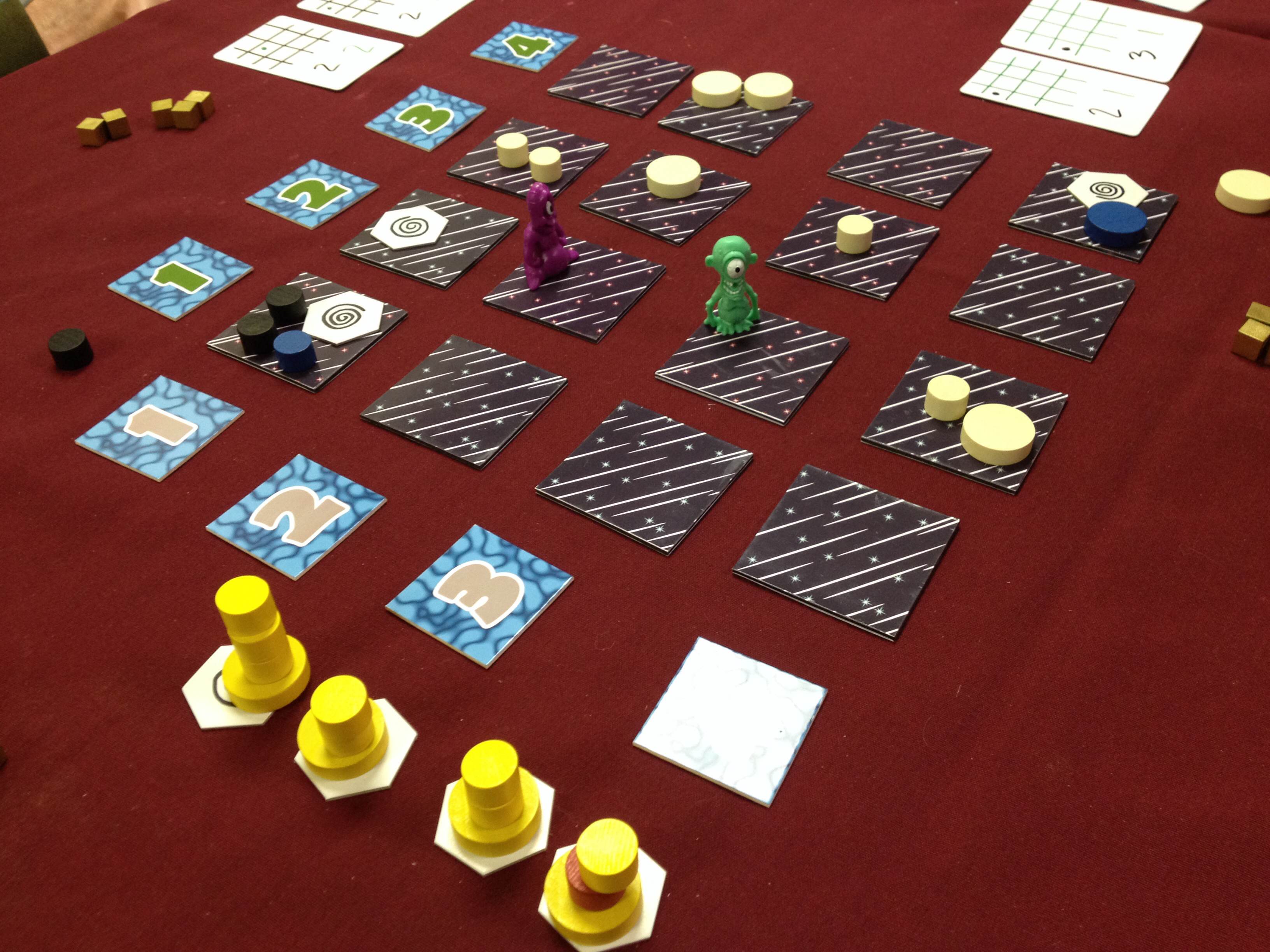
Another thing I changed was how the asteroids move through space. (Timeout… I thought this was a game about killer whales eating boats? What’s the deal? Well I changed it based on feedback and now you are an orca in space eating asteroids. That’s the deal!) Previously small asteroids would move toward the upper left corner of the 4×4 grid and large asteroids would move to the lower right corner. This caused a large pile of small asteroids in the 1, 1 spot. And players just didn’t think that helped to make it fun. Now small asteroids move up on the board and large move down. They both follow the star lines on the tiles on the board. This seemed to work quite well without increasing the fiddliness.
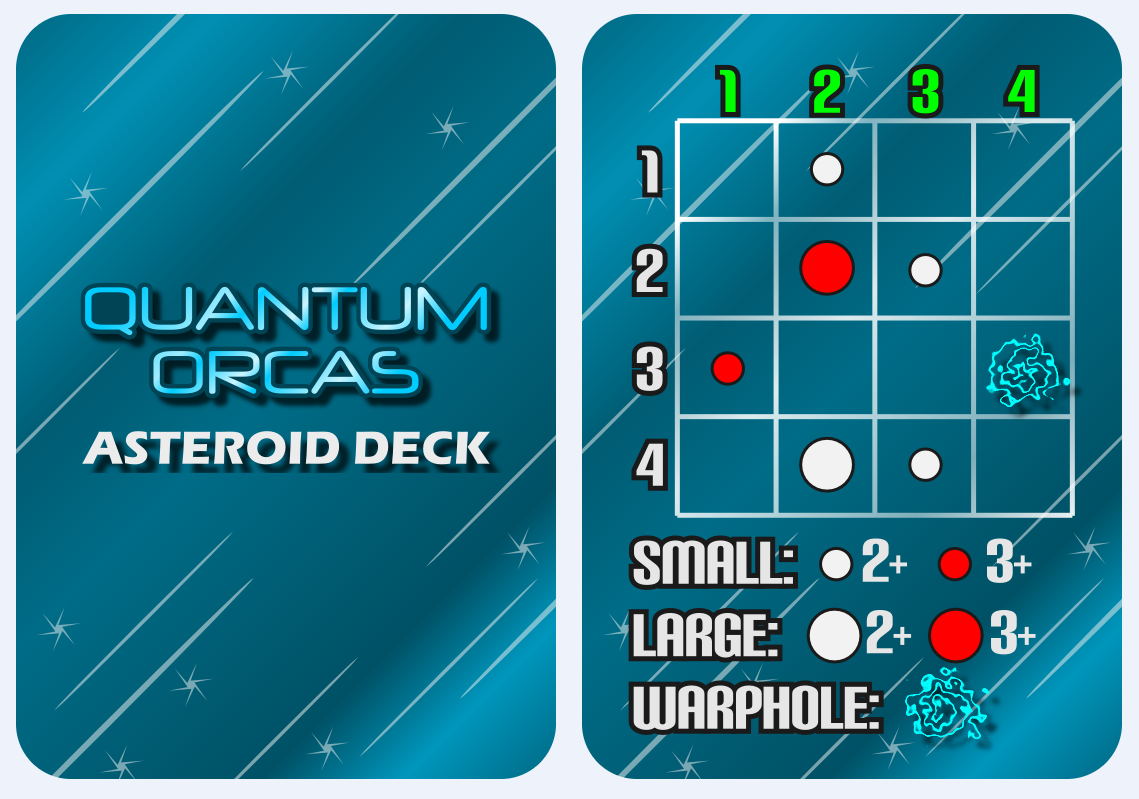
These show the placement of new asteroids and the Quantum Blowhole for each round.
The other change is that I now have an Asteroid Deck. The card example shown above has already changed after I received a suggestion of having the rows be labeled A through D instead of numbers. I originally had numbers in two colors because you would have to roll two d4s for each asteroid that you were to place. That was the fiddly part. Now there are 16 cards for seeding, 8 of which are used in a game of Quantum Orcas. These cards help speed up the game a lot!
The other game you might have heard me talking about is Brooklyn Bridge. I love this game. It has a unique time-based worker placement mechanic that has received awesome feedback. People really seem to love it. The biggest issue with the game currently is that it takes too long. I recently received feedback that will help me cut that quite a bit. I am actively making changes and trying to cycle through playtests with this game. I think there is a lot of potential here and my plan is to have 30 playtests completed and have a refined game by GenCon.
I also came up with a new game design based on a conversation with a co-worker. I don’t want to share any info yet, but I think it could potentially be a really amazing game. The only detail I’ll share is that it would have a space/sci-fi theme.
So those are the Boards & Barley and game design efforts I enjoyed this past week. What did you enjoy?!
Monday Brews: 3-24-14
Over the weekend I had the pleasure of playing a bunch of game design prototypes as I was attending Protospiel-Milwaukee. Since they were unpublished prototypes I’m not going to share my opinions about them. If you want my opinion, ask me privately.
For those who do not know, Protospiels are game designer conventions. The idea behind them is that you can get feedback on your game designs from other designers, who are likely to see the game differently than gamers in general. It is a fantastic event for aspiring and successful designers alike if for nothing else than networking. I met a bunch of new people, hung out with some old friends, and got my newest design, Brooklyn Bridge, to the table for it’s 4th playtest ever.
Overall it was a great weekend and I can now make both Brooklyn Bridge and Quantum Orcas even better.
But today is Monday, so let’s cover the Boards & Barley that I enjoyed this past week…
The Barley:
 BARLEY SPOTLIGHT: Lakefront Brewery Big Easy Imperial Maibock
Sometimes it is worthwhile to put the spotlight on things because they are not good. This beer was very interesting. First, if you are going to make a seasonal beer that is light for Spring, why make it Imperial? Second, why make a Maibock that doesn’t taste like a Maibock?
I typically enjoy drinking a Maibock because it makes me think of Spring and melting snow and blossoming flowers. This beer didn’t have the Maibock characteristics that made me think of those things.
- Quinness
- Lake Louie Warped Speed Scotch Ale
- Bud Light (a travesty for sure – not even worth linking to the brewery)
- Tommy Knocker Cocoa Porter
- New Glarus Spotted Cow
The Boards:
 BOARDS SPOTLIGHT: Mad City
I got the chance to play Kane Klenko’s Mad City by Mayfair Games last Saturday and I forgot to add it to last Week’s Monday Brews. Fortunately I was able to play it again at Protospiel so I am placing it in the Boards Spotlight this week.
In Mad City you are building a city of residential, industrial, and urban areas. To score the most points you will want to put those areas near each other. So you should build larges groups of residences or large groups of industry. No one wants their house next to an industry. So the larger the groups you can make, the more you can score.
I won’t get into the game any more than that for now, but you can look forward to a review of Mad City on Friday.
-
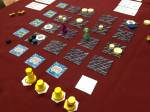
Quantum Orcas in space. Plastic monsters work too.
Quantum Orcas – this was requested by several different people who wanted to play it. So I think it was played 4 or 5 times at Protospiel.
- Crokinole
- LXIX: Year of Four Emperors designed by Brett Myers
- Pull! designed by Chevee Dodd
- Sunset Showdown – designed by Jason Kotarski
- Lexicards – designed by Wade Johnston
- Prohibition – designed by Neil Roberts
-
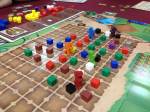
I love those farmer meeples!
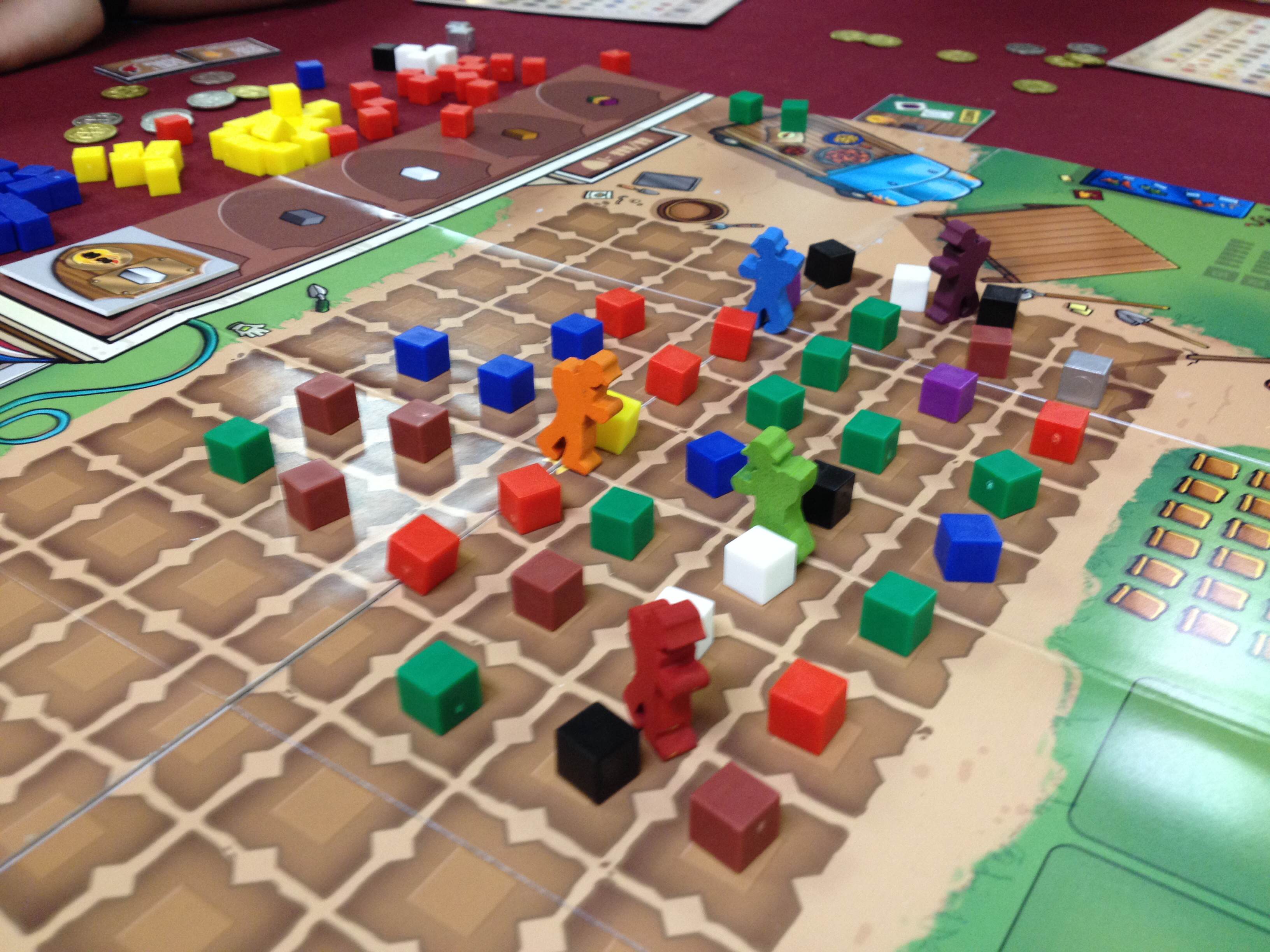
Scoville – I got to play this with the honorable Ryan Metzler of The Dice Tower and a very nice respresentative from AEG. It was fun to play with the farmer meeples that TMG sent me. I lost, but so did Metzler.
- Copper Country – designed by Scott Diehl and David Lankton of CMX Games
- Sequoia Grove – my failure of an entry for Dice Hate Me Games’ 54 Card Challenge. But I think I have an interesting mechanic in the game though Metzler would disagree.
- Backyard Astronaut – designed by Adam Buckingham. I’ve mentioned this one before. He got a bunch of playtests and people enjoyed the game!
-
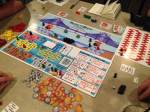
Don’t worry… it’s different already!
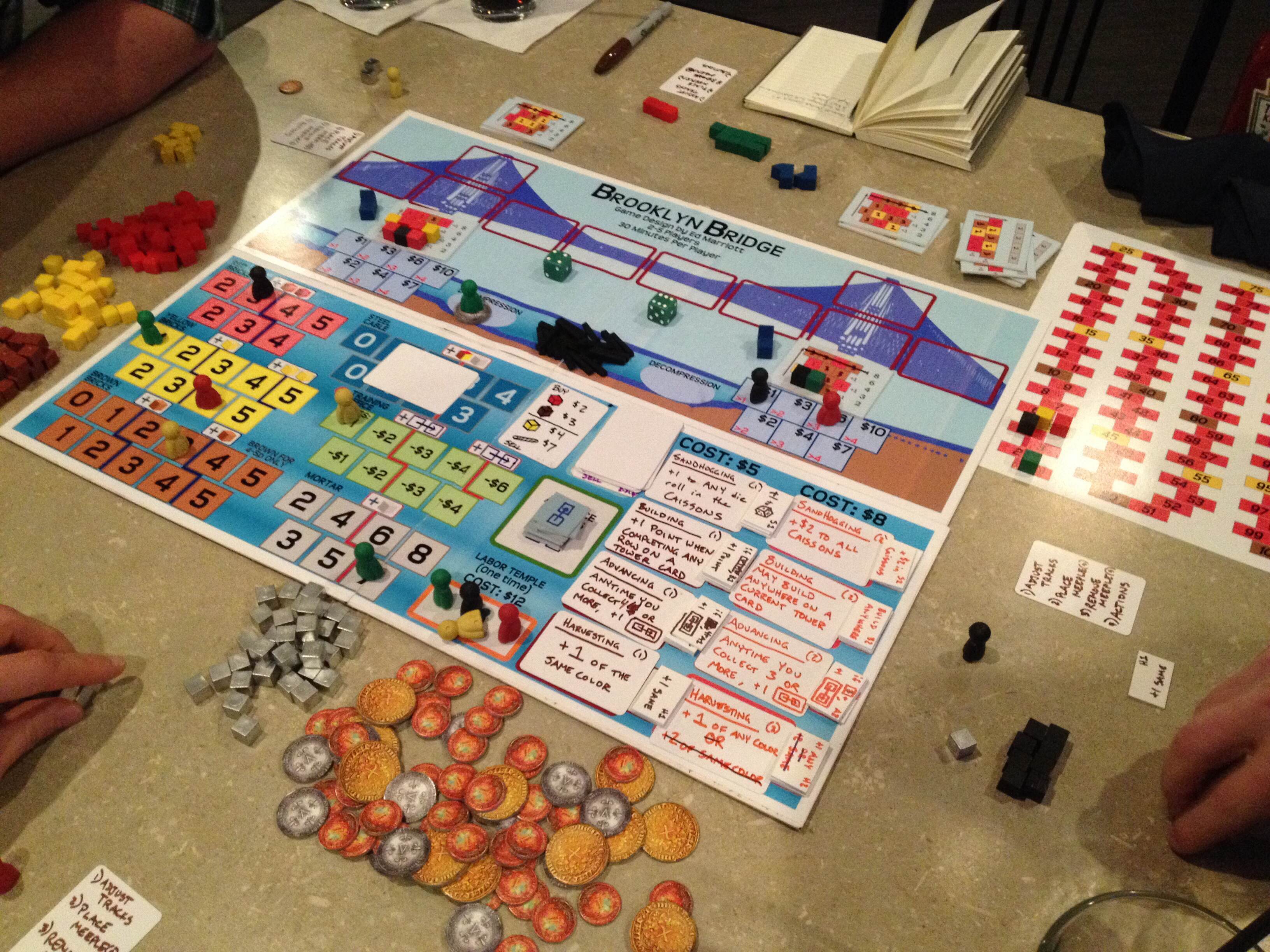
Brooklyn Bridge x2 – After a playtest with my Level 1s I made some changes and it worked much better at Protospiel. I got some good feedback and I am now equipped to make this game great.
Those are the games I played last week. It is fun to play a bunch of prototypes and see what other people are working on. It was also fun to do some networking and meet other great people in the game design industry. It’s worth going to things like Protospiel for that alone!
Designer’s Corner
With my attendance at Protospiel I had prepared Version 4 of Brooklyn Bridge in the hopes of playtesting it with other designers. After Playtest #3 last week with my Level 1s I knew I had to adjust things before putting it in front of other designers. So I made a new version (seen in the picture of Brooklyn Bridge above) and tweaked a bunch of stuff. The result was a much quicker gameplay that finished with scores much more aligned with what I would want final scores to be.
The game at this point works and has interesting decisions. It still needs to be streamlined slightly. I have a path forward in that regard.
Also, I now have a good idea of how I want to separate in-game scoring from end-game scoring so that even if you are behind you still have hope that you can finish with the victory. So there are a lot of good things going on with Brooklyn Bridge.
I also got Quantum Orcas to the table four or five times. I don’t think the game is very good, but several people wanted to play it. Fortunately it plays in 10-15 minutes, so the players didn’t suffer for too long.
I got a bunch of feedback that was all over the map for Quantum Orcas. But perhaps the best thing to come out of Protospiel for the game is that I now have a good way to break ties. I’ll keep testing this one and see if I can make it as awesome as its title.
Thanks to everyone who played my games over the weekend. I had a lot of fun teaching them and watching you play them.
So those are the Boards & Barley I enjoyed last week. Did you try anything new that you thought was special?
 Boards and Barley